Information security at the TU Ilmenau

Act safely. Confident in everyday digital life.

IT security affects us all - and it's easier than many people think. With a few clear routines, you can protect yourself, your data and your work at the TU. Here you will find everything you need - short, easy to understand and suitable for everyday use.

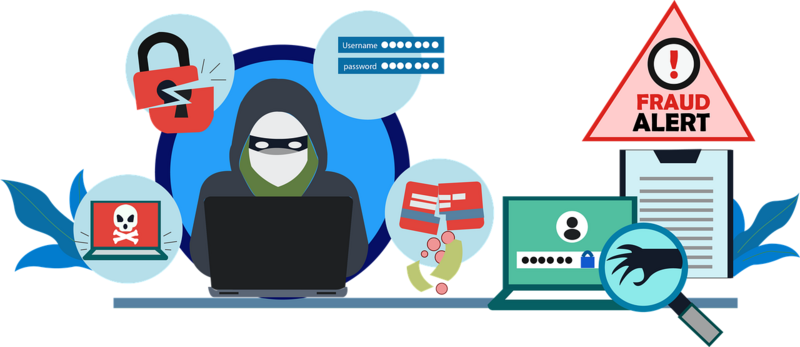
A hacker next to whom various messages appear as he attempts to steal data.Pixabay/fidsor

Why IT security is important

Cyberattacks not only affect companies, but also universities and research institutions. A well-known example: in 2019, Justus Liebig University Giessen was the victim of a ransomware attack (Ryuk/Emotet). The entire IT infrastructure had to be shut down, around 38,000 users temporarily lost their access and important systems were unavailable for weeks.

This incident shows: IT security is not an abstract threat, but affects us in a very concrete way. Prevention is the best protection - as in occupational safety, this also applies here: Small measures prevent major damage.

1. Report incidents - without fear

Acting early protects everyone: If you notice anything unusual, report it immediately. Then we can help before something happens.

Why is reporting important?

  • Prompt intervention protects everyone because attacks can be stopped early.
 

Don't be afraid of false alarms: Any report is better than silence. Even if it is a misunderstanding, it increases our security.

 
Person with megaphone sitting on an emailPixabay/Mohamed Hassan

Mistakes happen - communicate openly

Nobody is perfect. The important thing is how we deal with mistakes:

  • Subsequent reporting also helps to contain damage.
  • No disciplinary consequences: open communication is not punished, but supported.

Together, we can only remain safe, if problems are not concealed.

2. Recognize phishing - in 5 seconds

Look out for these signs when you open an e-mail:

  • Unusual or unclear sender addresses
  • Is there urgency -"You must act immediately!"?
  • Is there unusual language or errors/unusual wording?
  • Unexpected links or attachments- Check with mouse-over
  • Gut feeling says: strange?
 
Pixabay/Ron Hoekstra

Rule of thumb: "When in doubt, don't click - report"

This is how it works:

  • Please do not send suspicious emails as a screenshot or simple forwarding.
  • Instead, send the message as .eml file to 1111@tu-ilmenau.de.
  • It's easy to do in Outlook: open a new email, drag and drop the suspicious email and send it.

The earlier we are informed, the faster our IT service can intervene.

Current phishing information on the intranet.

3. Keeping devices up to date - the simplest protection

Smartphone, Tablet, Laptop and DesktopcomputerPixabay/kreatikar

Updates are not an unnecessary waste of time. They close known security gaps.

Quick check:

  • Install updates immediately, even on private devices if they are used for business purposes
  • Activate automatic updates so that no gaps remain open
  • Do not use outdated software: Programs without security support are a risk for everyone

4. Awareness course - knowledge that really helps you

The Virtual Campus Thuringia (VCT) offers you IT security awareness courses developed with SecAware North Rhine-Westphalia.

The courses consist of:

  • Explanatory videos that explain the basics in an understandable way
  • Practical examples that show typical attack scenarios
  • Mini-tests with which you can test your knowledge yourself

Advantages of participation:

  • Duration: approx. 30 minutes
  • Not compulsory, voluntary and flexible to use
  • Helps not only in the work environment, but also privately (e.g. with online banking or phishing)
  • A certificate is awarded on completion: a plus point for job applications, especially for students

Summary - Your contribution counts

  • Report suspicious incidents immediately and correctly
  • Check links and attachments carefully
  • Keep systems and software up to date
  • Deal openly with errors
  • Take advantage of training opportunities for more knowledge and security

IT security is teamwork. Every click, every message and every attention.